Tracktion Software Attracktive v1.1.0 & v1.0.2 免费播放器
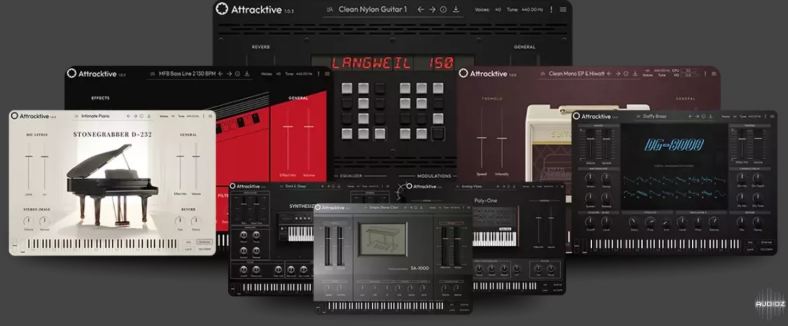
Attracktive免费播放器,拥有100种精心策划、鼓舞人心的声音
“免费播放器,拥有100种精心策划、鼓舞人心的声音”
只需安装。与之前的版本相同的AppId。
如果未安装:从获取v2.0内容在这里:
你知道现在几点了吗?是时候继续摇滚了!
安装过程不言自明。此安装程序包含两个版本的插件。v1.0.9是适用于Windows 10+,v1.0.2适用于Windows 7。
对于那些不知道的人来说,Attracktive内容安装到BioTek内容。他们一起工作在某种共生关系中,它们共享内容。这一切都没有彻底检查过,所以这是目前最好的信息。这个不过,总体思路是正确的。
对于WINDOWS 10+:转到此处并将全局Open GL设置为1如果你的机器能很好地处理OpenGL。你应该设置全局多CPU也为1:
https://cdn.tracktion.com/file/tracktiondownload/attracktive/content/200/BioTek%203_attracktive_content_v2.内容
更多信息@https://www.tracktion.com/products/attracktive
AttracktiveFREE Player Featuring 100 Carefully Curated, Inspiring Sounds”FREE Player Featuring 100 Carefully Curated, Inspiring Sounds”x64: AAX VST3 VST2 | x86: JBridgeJust install. Same AppId as previous release.If not installed: get v2.0 content fromhere:https://cdn.tracktion.com/file/tracktiondownload/attracktive/content/200/BioTek%203_attracktive_content_v2.contentMore info @https://www.tracktion.com/products/attracktiveYou know what time it is? Time to rock on!-TCDThe installation is self explanatory. This installercontains two version of the plugin. v1.0.9 isfor Windows 10+ and v1.0.2 is for Windows 7.For those unaware, the Attracktive content getsinstalled to BioTek content. They work togetherin some sort of symbioses and they share content.It all has not been thoroughly checked, so thisis the best of information at this time. Thegeneral idea is on point, though.FOR WINDOWS 10+: Go here and set Global Open GL to 1if your machine can handle OpenGL well. You should setGlobal Multi CPU to 1 as well:HKEY_CURRENT_USERSoftwareTracktionAttracktiveTCD Note for movers and shakers: If somehow expansionpacks for this or any other Tracktion appear,then they shall have appeared, if you dig what I mean.Capisci? No I don’t have accent on keyboard and notsearching it. 🙂
支持系统:Windows
文件大小:18MB
登录并开通会员即可下载此资源
登录 / 开通会员