Acousticsamples VHorns Soprano Saxophone 1.3.0 高音萨克斯
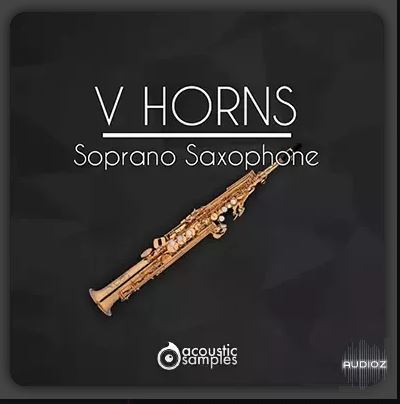
我们录制了两台 VHorn:高音萨克斯,由不同的音乐家演奏,以涵盖两种不同的演奏风格:一台古典,音色纯净;另一台爵士,气息浓郁。
HAT(谐波校准技术)得益于我们独特的谐波校准技术 (HAT),VHorn:高音萨克斯不仅仅是一台拥有大量采样的乐器。您可以像现场音乐家一样演奏演奏技法,仅使用调制轮控制气流(或简单地绘制自动化效果)。无需复杂的按键组合来实现断奏、强奏、连奏或双吐——只需加载乐器并演奏即可。颤音也可以自动化。
真实的颤音我们仔细测量了使用颤音时萨克斯音色的所有变化,并在此基础上创造了最自然、最灵活的颤音,可以通过多种方式控制:自动控制、自动考虑音符时长以及手动控制。
连奏过渡快速的连奏过渡往往会暴露虚拟乐器的音色,因此我们投入了大量的时间和精力,精心重现现场过渡的每一个细节,使其与真实演奏完全无法区分。我们的音色库涵盖了从音符间的即时切换到流畅的滑音(带或不带额外起音)的所有内容。我们涵盖了所有选项,并赋予您完全的掌控权。连奏行为可以自定义,甚至可以随机设置,以获得更自然的声音。
多麦克风录音萨克斯管可以通过多种方式和从不同位置进行录音。我们使用了 4 个不同的麦克风位置,以便您可以获得所需的精确声音,就像您自己选择麦克风位置一样。结合虚拟空间功能,效果更加令人印象深刻。您还可以添加混响和均衡器,完美地根据您的喜好调整声音。
虚拟空间虚拟空间使用卷积技术,精确再现真实乐队录音的效果。录制大型乐队时,麦克风通常放置在乐手前方,其在立体声场中的位置自然取决于乐手在房间中的位置。虚拟空间的工作原理相同:您可以将乐器放置在虚拟舞台的任何位置。当用于多个音轨时,它可以营造出现场铜管乐器组在您面前演奏的饱满感。
高级编辑演奏铜管乐器有无数的细微差别。我们投入了大量精力,咨询了世界顶级音乐家,深入研究了他们演奏中常用的所有技巧和精妙之处。基于这项研究,我们在所有 VSeries 音色库中都添加了”高级编辑”选项卡,让您几乎可以不受限制地控制乐器的声音。
键盘和控制器V 号:高音萨克斯可以通过键盘演奏,使用 MIDI 控制器(例如调制轮或呼吸控制器)控制气流。您还可以使用风控制器,例如 EWI、Aerophone、Sylphyo 或任何其他控制器。在这种情况下,您需要在”首选项”选项卡的 MIDI 模块中选择合适的控制器。
We recorded two VHorns: Soprano Saxophone instruments played by different musicians to cover two different playing styles: one classical, with a clean sound, and one with a jazzy edge and more breath.
HAT (Harmonic Alignment Technology)Thanks to our unique Harmonic Alignment Technology (HAT), VHorns: Soprano Saxophone is not just another instrument with lots of samples. You can play articulations just like a live musician, using only the modulation wheel to control the airflow (or simply drawing automation). No need for complex key combinations for staccato, marcato, legato or double tonguing – just load the instrument and play. Vibrato can also be automated.
Authentic VibratoWe have carefully measured all the changes in the saxophone sound when using vibrato and based on this we have created the most natural and flexible vibrato, which can be controlled in several ways: automatically, automatically taking into account the duration of the note and manually.
Legato TransitionsIt’s often the fast legato transitions that give away a virtual instrument, so we’ve spent a huge amount of time and effort to meticulously reproduce every detail of live transitions and make them completely indistinguishable from a real performance. Our collection includes everything from instant switches between notes to smooth glissandos, with or without extra attack. We’ve covered all the options and given you full control. Legato behavior can be customized and even randomized for an even more natural sound.
Multi-mic recordingThe saxophone can be recorded in a variety of ways and from different positions. We used 4 different microphone positions so that you can get exactly the sound you want, as if you were choosing the microphone placement yourself. Combined with the Virtual Space feature , this gives an even more impressive result. You can also add reverb and equalizer to perfectly adjust the sound to your taste.
Virtual SpaceVirtual Space accurately recreates the effect of a real band recording using convolution. When recording a big band, microphones are typically placed in front of the musicians, and their position in the stereo field naturally depends on their location in the room. Virtual Space works the same way: you can place an instrument anywhere in the virtual stage. When used on multiple tracks, it creates the full feeling of a live brass section in front of you.
Advanced EditingThere are countless nuances to playing brass instruments. We’ve done a lot of work, consulting with the world’s best musicians to thoroughly study all the subtleties and techniques they regularly use in their playing. Based on this research, we’ve added the Advanced Editing tab to all VSeries libraries, giving you virtually unlimited control over the sound of your instruments.
Keyboard and ControllersVHorns : Soprano Saxophone can be played from the keyboard, controlling the air flow with a MIDI controller, such as a modulation wheel or a breath controller. You can also use a wind controller, such as EWI, Aerophone, Sylphyo or any other. In this case, you need to select the appropriate controller in the MIDI block of the Prefs tab.
支持系统:Windows
文件大小:200MB
登录并开通会员即可下载此资源
登录 / 开通会员